From Digital Twin to Phygital Twin: Codifying Process Knowledge into Agentic Robotic Process Optimization
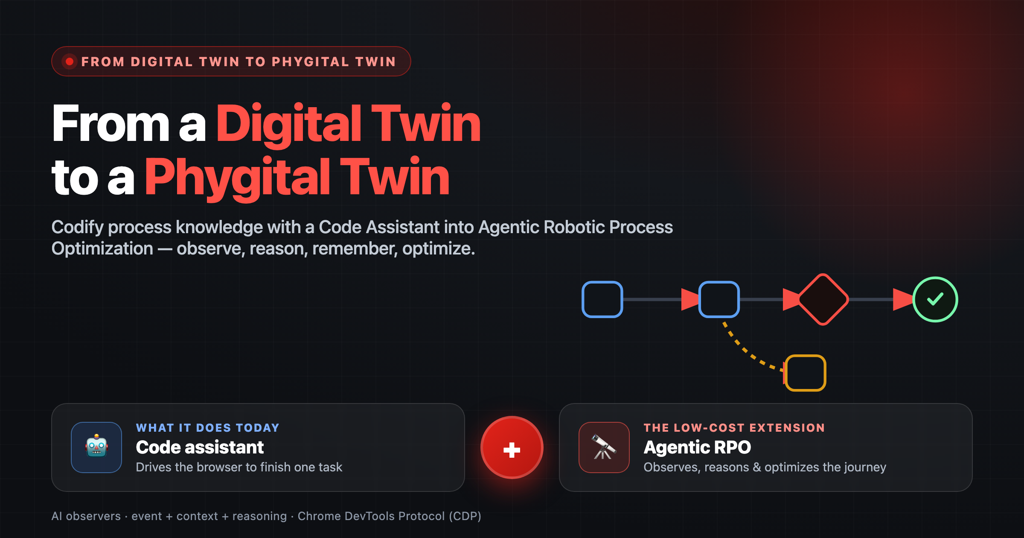
We’ve all seen LLM agents codify a person’s skills into a digital twin. But a lot of what makes work actually work isn’t a skill you can hand off — it’s tribal knowledge baked into the process: the order people do things, the checks they never skip, the judgment calls that live across real apps, screens, and spreadsheets and never landed in any clean dataset. A phygital twin is stitched from exactly that. This post lays out a simple way to build one: put a Code Assistant to work quietly watching the real work, reasoning about what’s on the screen, remembering every decision in one shared place, and making the whole thing replayable, simulatable, and optimizable — Agentic Robotic Process Optimization (ARPO) — a low-cost way to capture the process knowledge that today only lives in people’s heads.
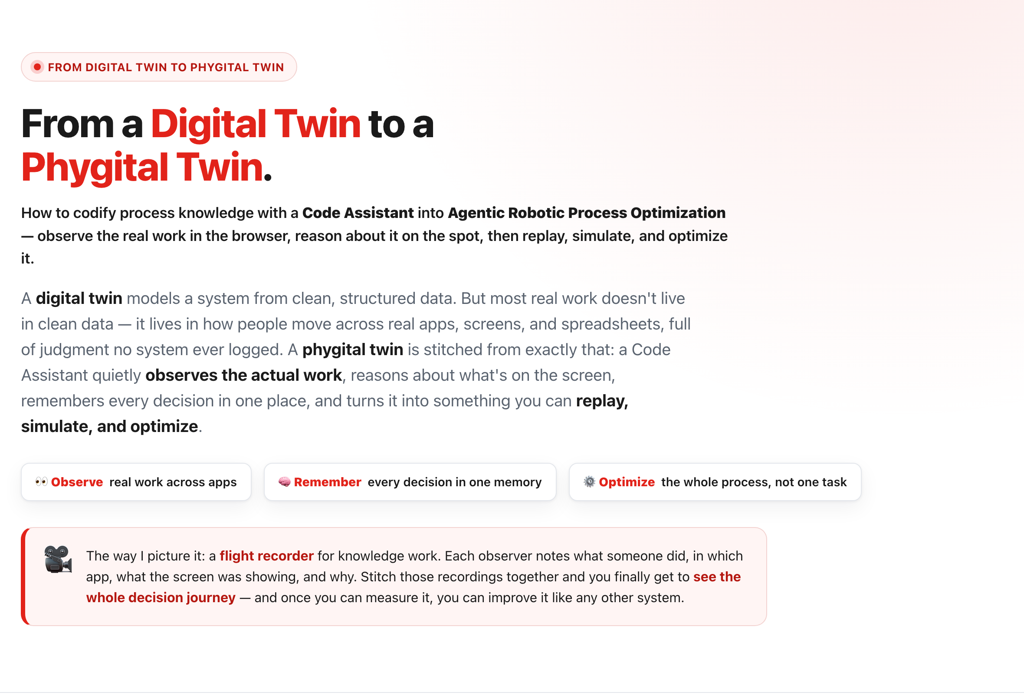
Before you can optimize a process, you have to discover it.
If you’ve spent any time around enterprise automation, you already know the big names — UiPath, Automation Anywhere, and Blue Prism on the RPA side, and Celonis on the process-mining side. They’re genuinely powerful, and expensive.
But here’s the thing I keep running into. RPA is brilliant once you already know the steps — you hand it a defined procedure and it runs it tirelessly. Process mining is brilliant once your work already lives in clean system logs — it reads an ERP’s event table and reconstructs the flow. Both of them quietly assume the hard part is already done: that somebody, somewhere, has written the process down.
In most companies, the real workflow doesn’t live in one tidy system. It’s scattered across a dozen web apps, a pile of spreadsheets, a thread of emails, and a ton of tribal knowledge that only exists in people’s heads. The analyst who knows to re-check margin before pricing goes out. The planner who always pings product when a supplier slips. None of that is documented anywhere. There is no process map and you can’t mine logs for a process that was never logged in the first place, or it was logged but without context.
So before optimization, simulation, or any of the fun stuff, there’s an unglamorous first step almost everyone skips: discovery. You have to surface what the process actually is — bottom-up, from how work really happens — instead of pretending a top-down diagram already exists.

That discovery step is exactly where the big platforms get expensive and heavy — long deployments, connectors, six-figure licenses. And that’s the gap I want to talk about. Because the browser the whole company already works in turns out to be the perfect place to watch real work unfold — which means we can now build a much lower-cost, custom alternative that discovers the process bottom-up, then opens the door to optimizing it. That’s what the rest of this post is about.
We already automate tasks. What I really want is to mine the process from the web-based applications
Driving Chrome through the DevTools Protocol — CDP, the browser-control interface, not a customer data platform — to click and type is old news at this point. Here’s the part I think we’ve been missing: that same observer can also read the UI/UX and reason about it on the spot. So instead of logging bare clicks like classic RPA, it captures three layers — the event, the on-screen context, and a short reason — and turns the whole thing into real process intelligence. Small change to build; completely changes what the AI is for.
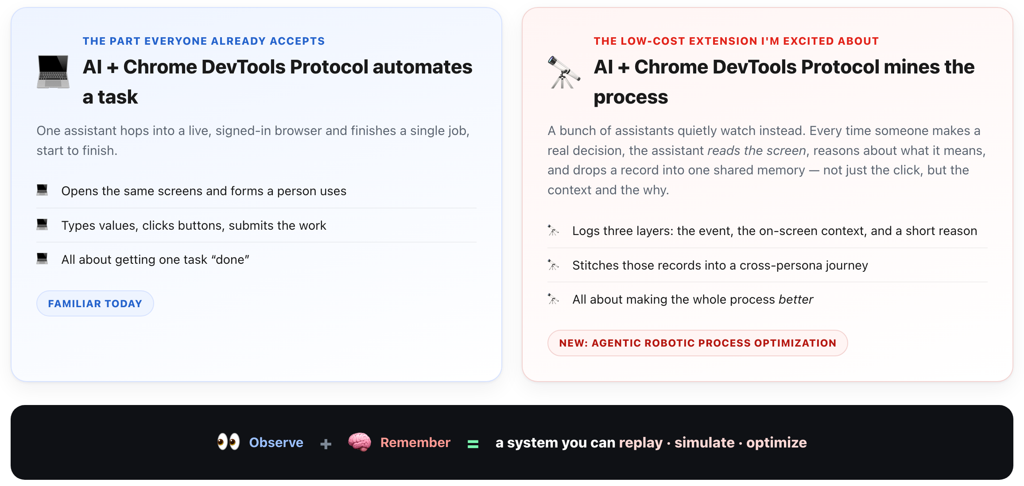
How it actually works, start to finish
These five steps work for basically any process: observe and read the screen, capture the event with its context and reasoning, store it centrally, re-sequence the journey, then simulate and optimize. To keep it concrete, I’ll run one example all the way through — a company deciding whether to launch a new product. The key difference from classic RPA: every captured record holds event + context + reasoning, not just a trail of clicks — which is what makes the process understandable later.
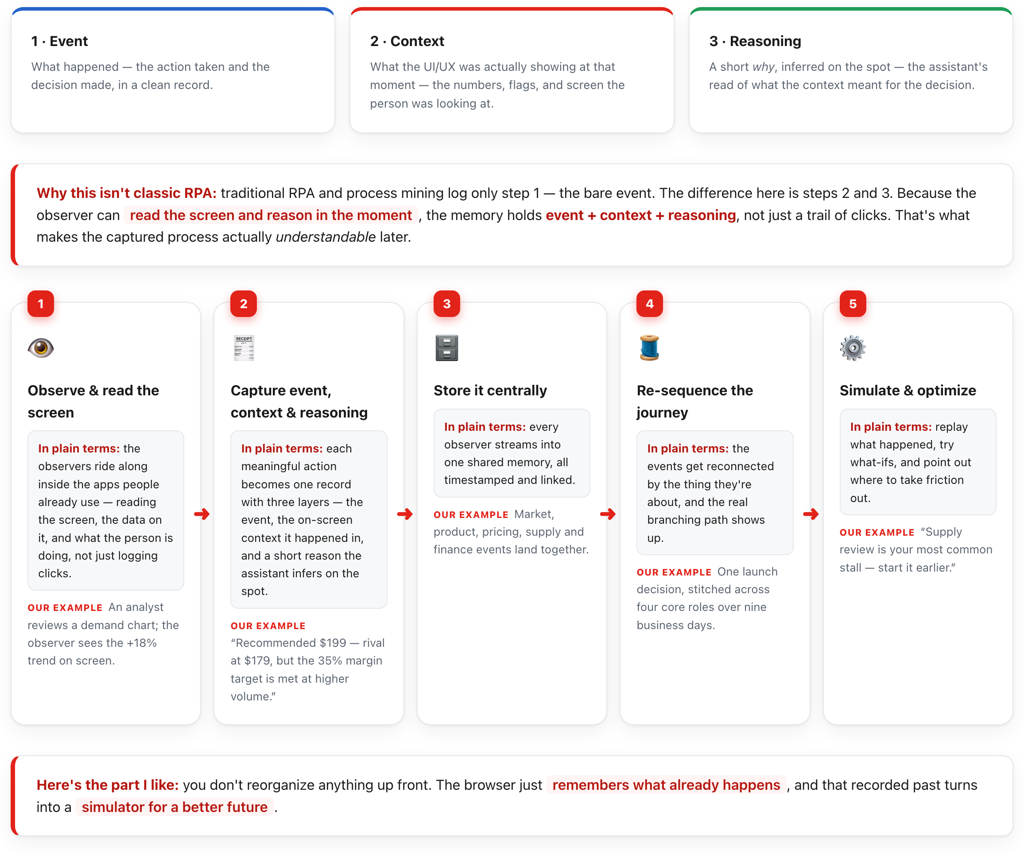
A few observers, one shared event and reasoning memory
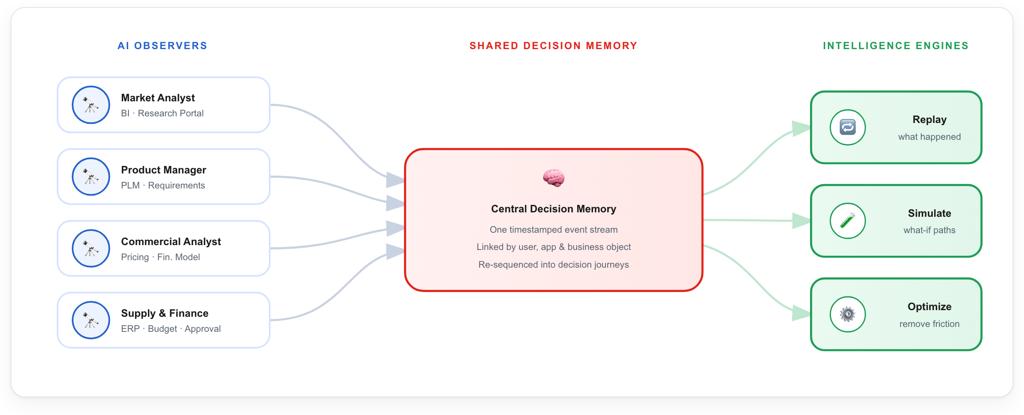
Nothing gets ripped out or replaced — the observers just ride on top of the apps people already use. Each one streams a standard decision event into a single shared memory, timestamped and linked by user, app, and business object. Once all the events live in one place, three things open up: replay what happened, simulate what-if paths, and optimize to take friction out.
Four roles, lots of steps, even more events
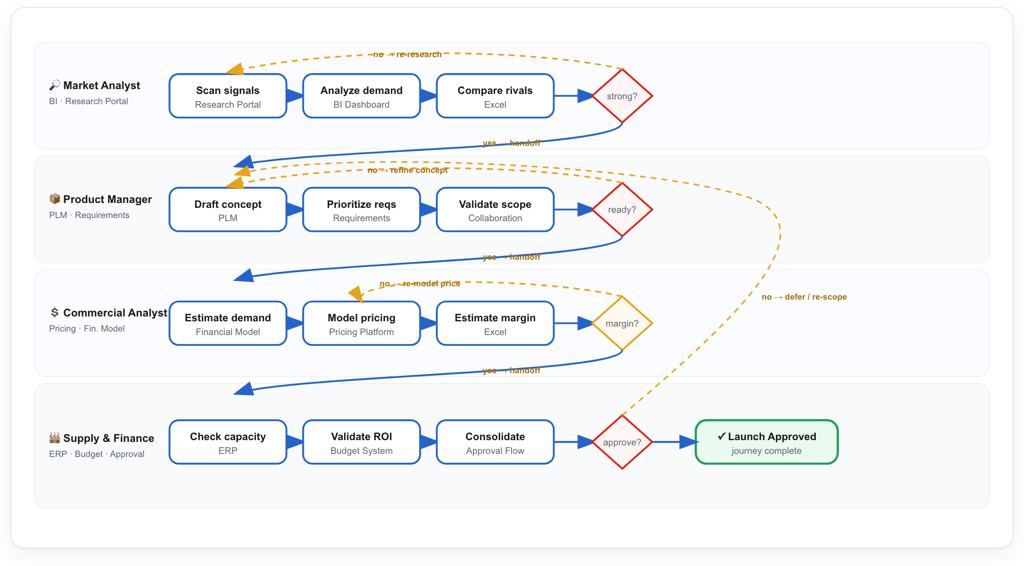
Real decisions branch, run in parallel, and loop back — they’re almost never a clean straight line. Each persona gets a lane with a few real steps, and every step becomes its own event. The map below is the New Product Launch journey across four roles, with decision branches, a margin gate, and two rework loops. In the live HTML every step is interactive; here it’s captured as a static snapshot.
One product launch decision, across multiple roles over multiple days
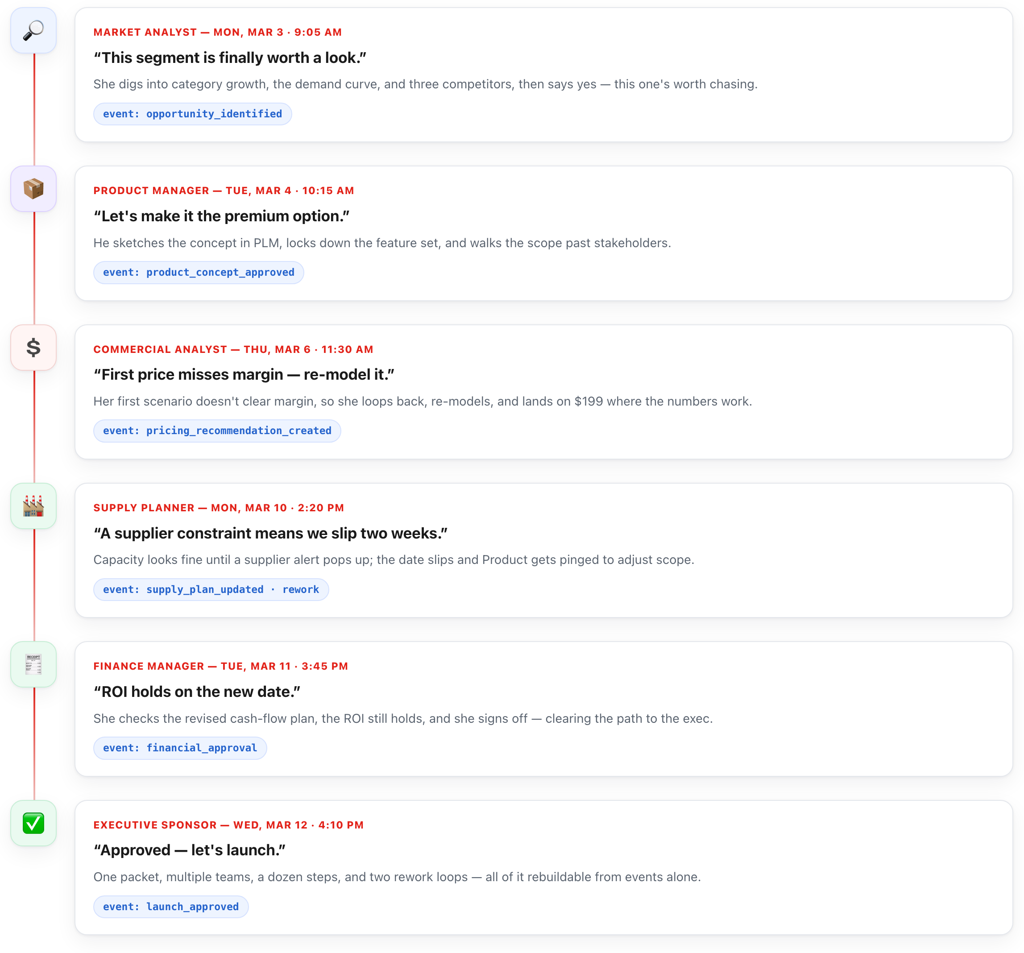
Here’s that same launch decision in plain language — and the event each moment quietly writes to memory. Nobody changed how they work; the observers just remembered. It runs from the Market Analyst on Mar 3 through a pricing re-model, a supplier-driven two-week slip, finance sign-off, and the exec’s green light on Mar 12 — about nine business days end to end.
What actually lands in the database — events, context & reasoning
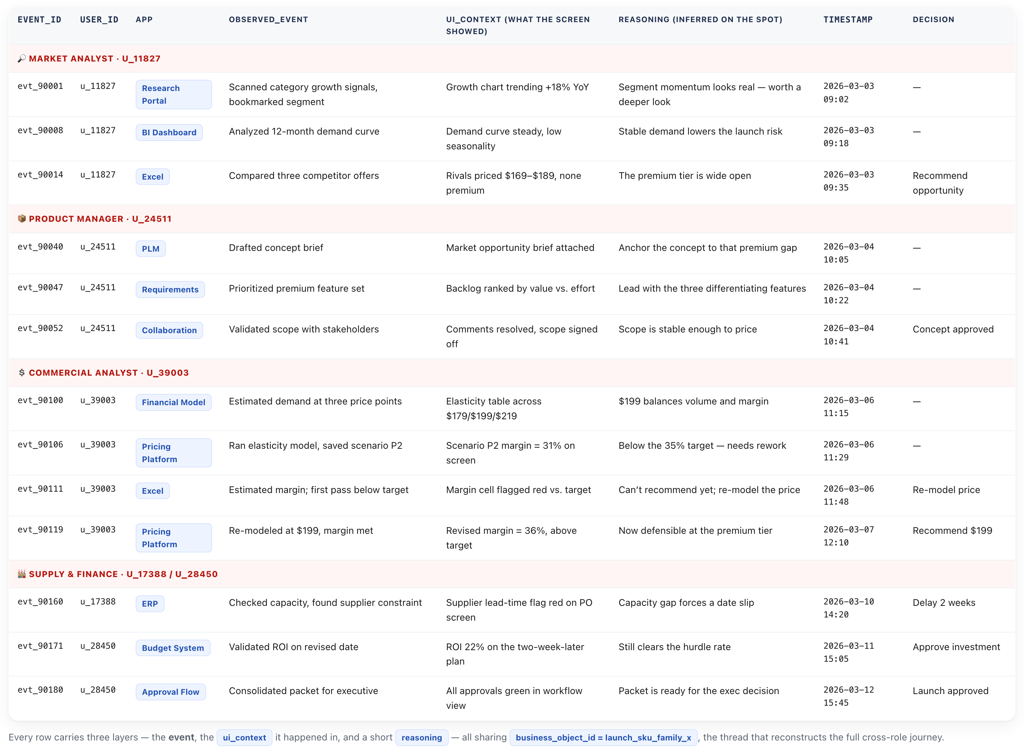
This is the part that makes it more than logging. Each row doesn’t just record what happened — it also stores the on-screen context the decision was made in and a short reason the assistant inferred on the spot. Multiple rows per role, all sharing one business_object_id, are what rebuild the whole launch journey.
Why I think this is optimization, not just mining
Once the journey is just data, the AI can answer questions no single app ever could — and then actually do something about them. Replay walks back through exactly how one launch decision moved across roles and apps. Simulate tries what-ifs against the real history — “if supply review started earlier, how many of these two-week slips just go away?” Optimize suggests concrete moves: reorder steps, pre-fetch the evidence, or flag the role that keeps triggering rework.
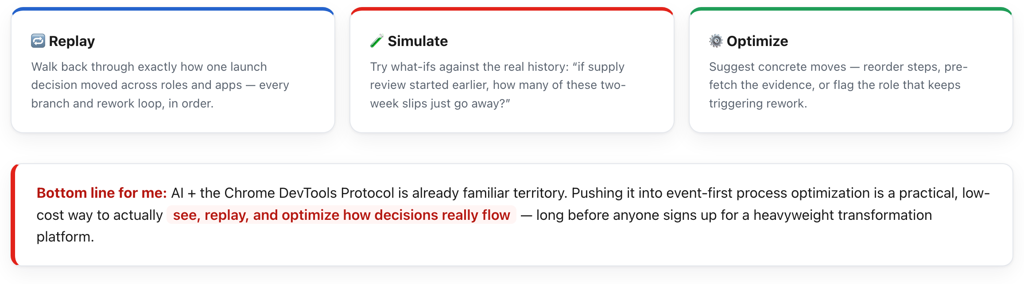
Bottom line for me
AI + CDP is already familiar territory. Pushing it into an event + context + reasoning memory is a practical, low-cost way to build a phygital twin of how decisions really flow — observe, reason, replay, simulate, and optimize — long before anyone signs up for a heavyweight transformation platform.